SunSpin Mobile Casino
 Available in US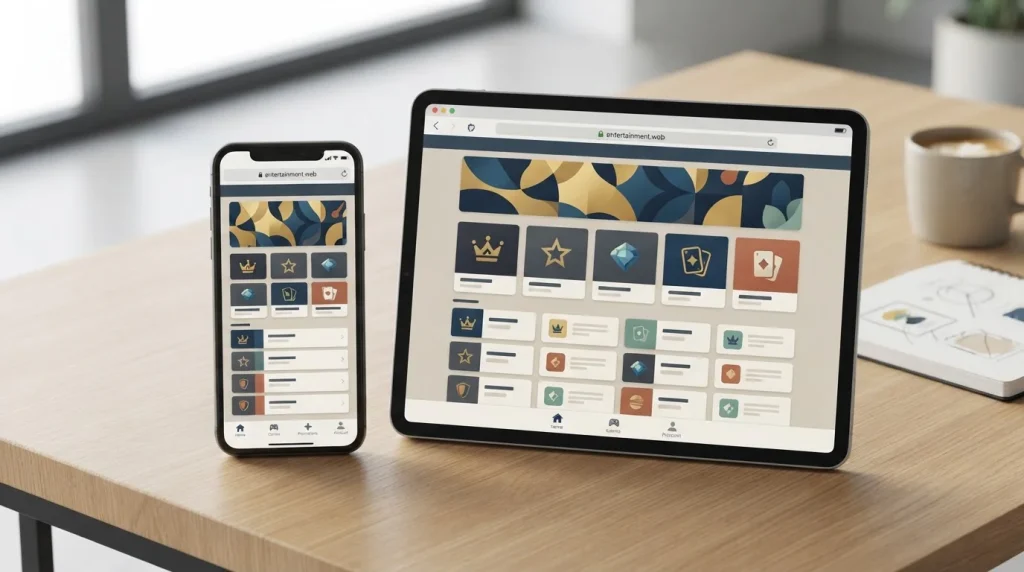
SunSpin Australia Guide
Australia-focused SunSpin material consistently describes mobile-browser or instant-play access on phones and tablets. That is the mobile feature this review can verify. A current native SunSpin app for the intended Australian-facing property has not been verified through an operator-linked Apple App Store or Google Play listing, so this page does not present an iOS app, Android app or APK as an established option.
The practical distinction matters. A responsive casino website can provide account access, games, cashier functions and support through a normal browser without a separate installation. For an Australian reader, the useful test is not whether an app icon exists but whether the browser experience handles the parts of the account you actually need. This guide focuses on those checks and keeps game selection, payment-method detail and trust questions on their dedicated pages.
Table of Contents
- What is verified about SunSpin on phones and tablets?
- Mobile browser access is not the same as a native app
- How to test SunSpin mobile navigation before using real money
- Testing games on a mobile browser
- Mobile cashier checks for Australian users
- Support from a phone: what is worth checking
- Security and identity checks are mobile usability issues too
- A practical mobile evaluation checklist
- SunSpin mobile verdict for Australian readers
- SunSpin Trust, Safety and Player Checks
What is verified about SunSpin on phones and tablets?
The strongest current mobile finding is browser-based access. The Australia-facing source set describes SunSpin as available in instant-play form across desktop, mobile and tablet devices. The same material also describes pokies, slots and table games, which means mobile use can be evaluated as an extension of the web platform rather than as a separate product with its own independently verified catalogue.
That evidence is enough to say that mobile-browser use is part of the Australia-facing SunSpin presentation. It is not enough to promise that every game, payment rail or account function behaves identically on every handset. Those details can depend on browser version, screen size, network quality, account status and the game software itself. The best mobile review therefore separates platform-level access from feature-level testing.
| Mobile question | Current evidence | What to check yourself |
|---|---|---|
| Browser access | Supported by Australia-focused SunSpin material | Login, navigation and session stability on your device |
| Pokies and table games | These categories are described for the broader offering | Whether your preferred titles launch well on mobile |
| Cashier access | The current AU-facing page describes deposits from the mobile menu | Methods shown to your account and any current limits |
| Support | Live chat and email are described | Whether chat opens cleanly on your phone and current response options |
| Native app | No AU operator-linked store listing was verified in this review | Do not assume an App Store, Google Play or APK download is official |
Mobile browser access is not the same as a native app
Casino reviews often blur these two ideas. A mobile casino can simply be a responsive website that changes layout for a smaller screen. A native app is a separately distributed application with an identifiable publisher and a listing in an app store or another operator-controlled distribution channel. The current SunSpin evidence supports the first description, not the second.
This distinction is especially important because several different properties use the SunSpin name online. Search results can surface material for other jurisdictions or products that are not the intended Australia-facing real-money property. An app claim copied from the wrong SunSpin entity could therefore look credible while referring to a completely different service. For that reason, this review requires an operator-linked store listing before treating a native app as verified.
How to test SunSpin mobile navigation before using real money
A browser-first service should make the core account journey easy to follow on a small screen. Start before depositing. Open the site in the browser you normally use, check that menus open without overlapping content, and confirm that important controls remain readable without repeated zooming. A clean home page is not enough if the account menu or cashier becomes difficult to use after sign-in.
Next, move through the main functional areas in a deliberate order. Find the game categories, open account history, locate the deposit area, identify the support entry point and return to the lobby. You are testing whether the site maintains orientation across the full session. If a back button unexpectedly exits the account area, if a menu covers key controls or if a game launches into an unusable frame, that is more meaningful than a generic claim that the site is mobile friendly.
- Check the domain first. Confirm you are on the same SunSpin property you intended to evaluate before entering credentials.
- Test portrait and landscape. Menus and game controls should remain usable when orientation changes.
- Open account history. Make sure deposits and withdrawals can be reviewed without a desktop session.
- Locate support. Verify that live chat or the listed support route remains accessible from the account area.
- Return to the lobby. A good mobile flow should not strand you inside the cashier or a game frame.
Testing games on a mobile browser
The broader evidence supports pokies or slots and table games as SunSpin categories. The SunSpin games guide explains why this site does not publish a fixed game count or a definitive live-dealer claim. On mobile, the important extra question is whether individual titles remain usable on the device you intend to use.
Try more than one game type before assuming the whole library performs the same way. Some games are built by different suppliers and can have different loading behaviour, orientation preferences and control sizes. Check whether the game fits the viewport, whether the stake selector can be changed without accidental taps, whether rules or paytable information is readable, and whether returning to the lobby preserves your session.
Network conditions matter as well. A game that loads reliably on home Wi-Fi can behave differently on mobile data. If you use a mobile connection, watch for repeated reloads or session drops before committing funds. The point is not to benchmark milliseconds but to decide whether the device and connection are stable enough for the way you expect to play.
Mobile cashier checks for Australian users
The current Australia-facing SunSpin page describes access to deposits through the mobile menu, while the broader fact set supports cards, bank-based methods and cryptocurrency categories. That does not justify copying a permanent cashier list into this mobile guide. Payment availability can change by account, provider or location, and the dedicated SunSpin payments page explains the evidence and Australian payment context in more depth.
On a phone, focus on transaction clarity. The cashier should show the method you selected, the amount entered and any account-specific conditions before you confirm. Do not assume that a method popular in Australia is supported just because it is familiar. In particular, this project has not verified PayID as a SunSpin payment method. The same principle applies to digital wallets and specific crypto assets: use the live cashier as the current source for what your account can actually select.
Identity verification can also intersect with mobile payments. Australia-facing SunSpin material indicates that verification can be required around withdrawals, but this project does not publish an exact document list or verification timetable. If an upload step appears, check the domain again, read the instructions carefully and make sure you understand why the information is being requested before submitting identity material.
Support from a phone: what is worth checking
Australia-focused SunSpin sources describe live chat and email as support channels. On mobile, their practical value depends on whether you can reach them without losing the page that caused the problem. Before depositing, open the support route and see whether the chat window is readable, whether it allows you to keep the cashier or account details accessible, and whether an email route is presented clearly enough to preserve a written record.
If you contact support about a transaction or identity check, describe the issue without sending unnecessary personal data in the first message. Use account references only where the support interface requests them. Screen captures can be useful for interface problems, but redact balances, addresses, document numbers and other information that does not need to be shared.
Security and identity checks are mobile usability issues too
Mobile convenience can encourage rushed decisions, especially when a site is opened from a search result, message or saved tab. Treat the browser address and account session as part of the product review. Recheck the domain before entering login information or uploading documents, and avoid treating a similar logo or page title as proof that you are on the same property you researched earlier.
The parent SunSpin trust page gives the full due-diligence sequence for Australian readers, including the local register check, support, KYC boundaries and safer-gambling resources. From a mobile perspective, the key point is simpler: an interface that is easy to tap is not automatically trustworthy. Identity, licensing context and support should be checked separately from screen design.
A practical mobile evaluation checklist
Use this checklist before deciding that SunSpin works well enough on your phone or tablet:
- Confirm the exact SunSpin domain and avoid assuming similarly named properties are connected.
- Open the site in the browser and device you expect to use regularly.
- Test menu navigation, login, account history and return-to-lobby behaviour.
- Launch several pokies or table games rather than judging the library from thumbnails alone.
- Check the live cashier for methods available to your account instead of relying on a static review list.
- Locate live chat and email support before you need help.
- Do not install an app, APK or profile merely because it carries the SunSpin name unless the distribution source is clearly tied to the intended operator.
- Stop and verify the request if a mobile page asks for identity information in a way you did not expect.
SunSpin mobile verdict for Australian readers
The current evidence supports a clear but limited conclusion: SunSpin is described as usable through mobile browsers and tablets, and that browser-based route is the basis of this mobile review. A current native app for the intended Australian-facing property has not been independently verified, so there is no reason to treat an App Store download, Google Play listing or APK as part of the confirmed product.
That does not make the mobile experience incomplete by definition. For many web-based casinos, the browser is the primary interface. What matters is whether navigation, games, cashier access and support work reliably on your own device and whether the property passes the wider trust checks. Return to the SunSpin Australia review for the complete evidence summary, or use the linked games, payments and trust guides when a specific mobile feature needs a deeper check.